on
It Works!
The PDP-11 boots! Say hello to Trashpanda!
Last year my friend Calvin and I rescued a PDP-11/23+ from the dumpster at Texas A&M University. Now we have it booting, running code, and playing Tetris!
Not knowing the state of the machine we were hesitant to power it up until we knew the massive capasitors in the power supply wouldn’t blow up. We pulled an all nighter reforming the caps and fired it up. To our surprise it booted just fine.
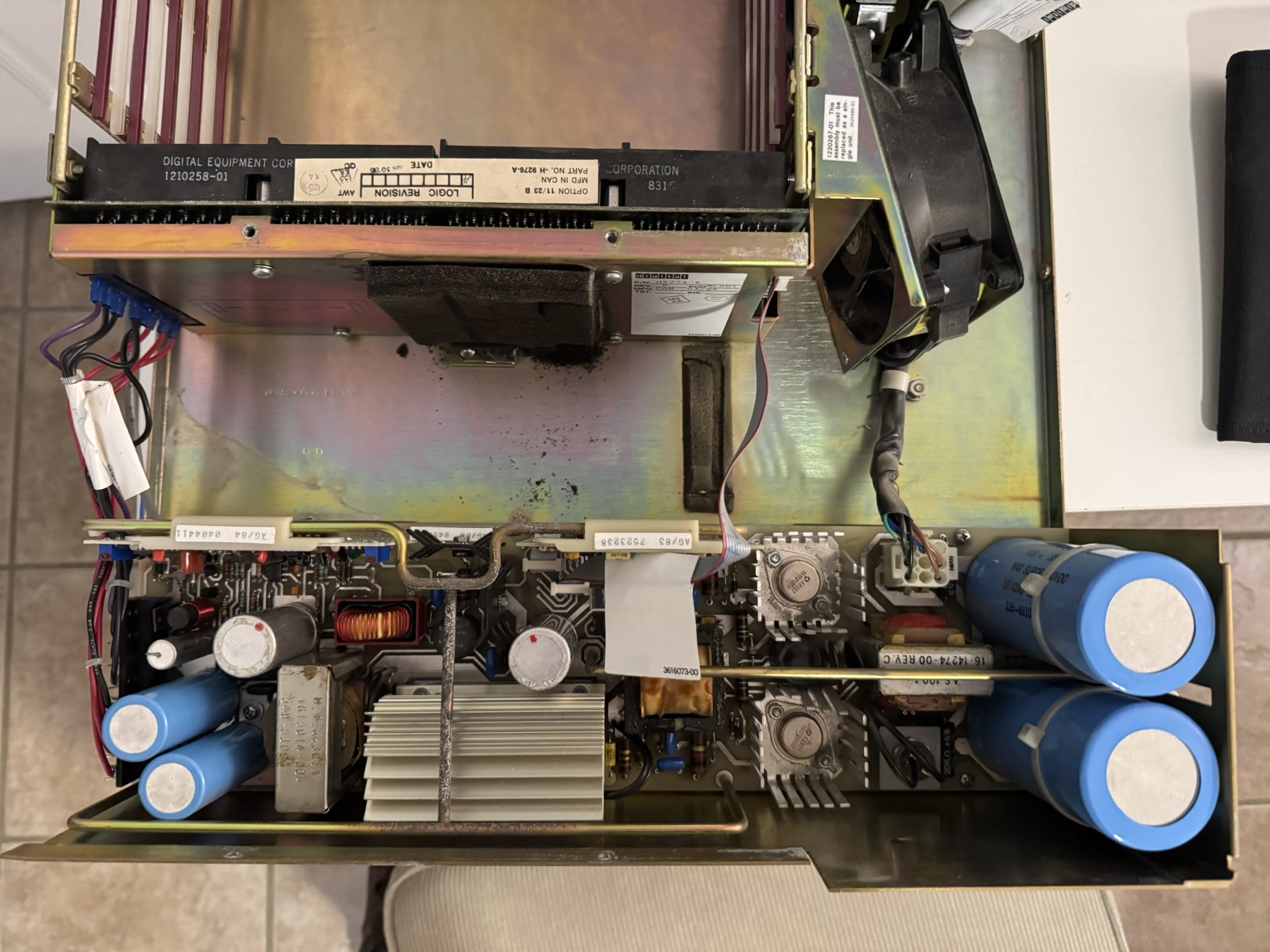 The Power Supply. Look at those massive, scary caps
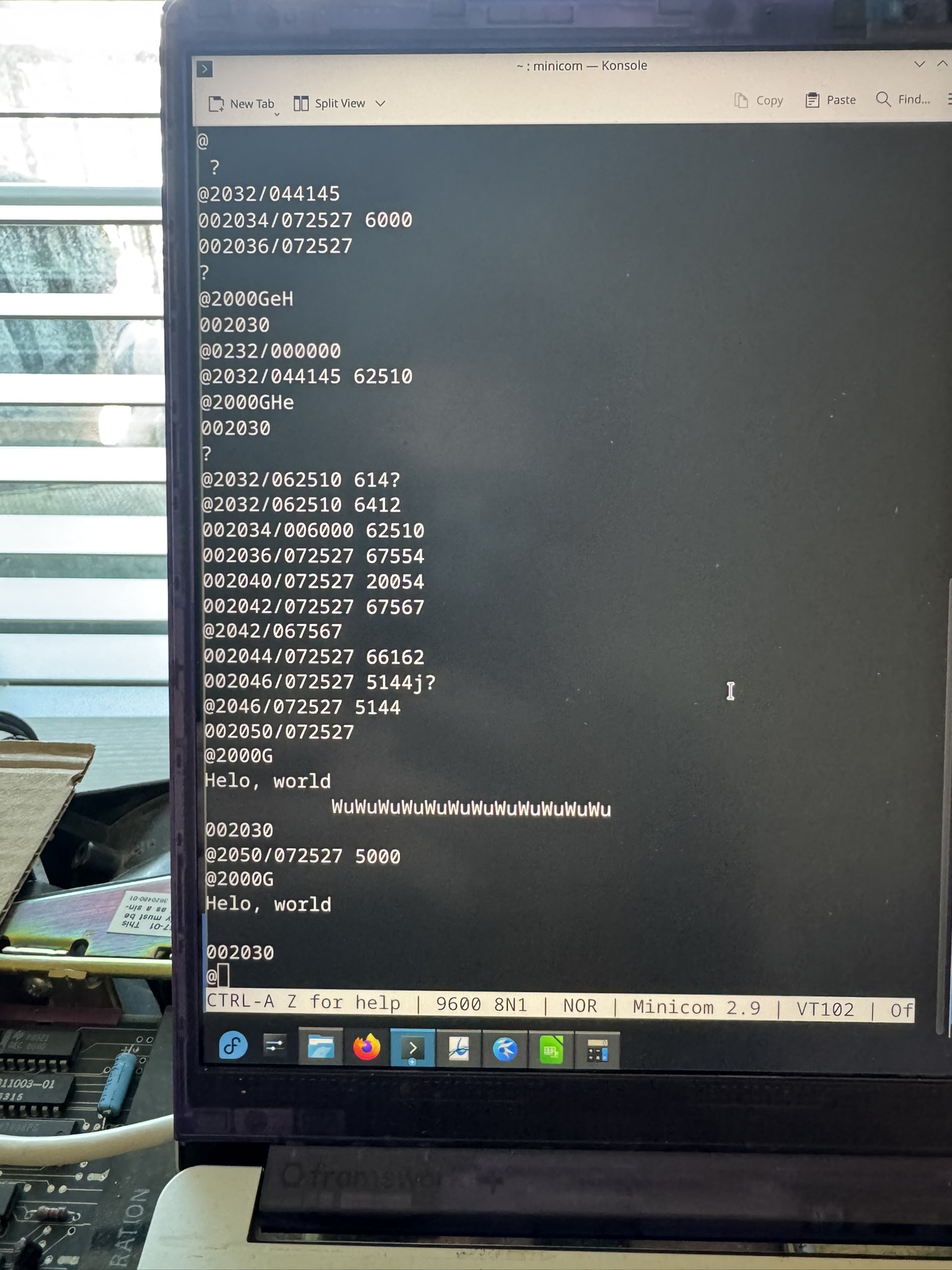
With no video output on the PDP-11 we wired up a serial cable and spun up a terminal on my laptop. After a few moments we were greeted with:
TESTING MEMORY
0128.KW
START?
Upon pressing Y, the PDP looks for a storage device and tries to boot from it. But Calvin’s PDP doesn’t have any storage devices. Pressing N drops you into ODT, octal debugging technique, the debugging monitor built into the machine1 which allows you to manually read contents of memory, modify the memory, execute, or single-step. It is qutie powerful if obtuse.
Ok, now we have a computer that boots so now what? We go to bed. It’s 4 AM by this point and we are excited yet very tired.
Thanks to Jörg Hoppe’s RETROCOMP site we found a working Hello World program listing. Note that everything is in octal.
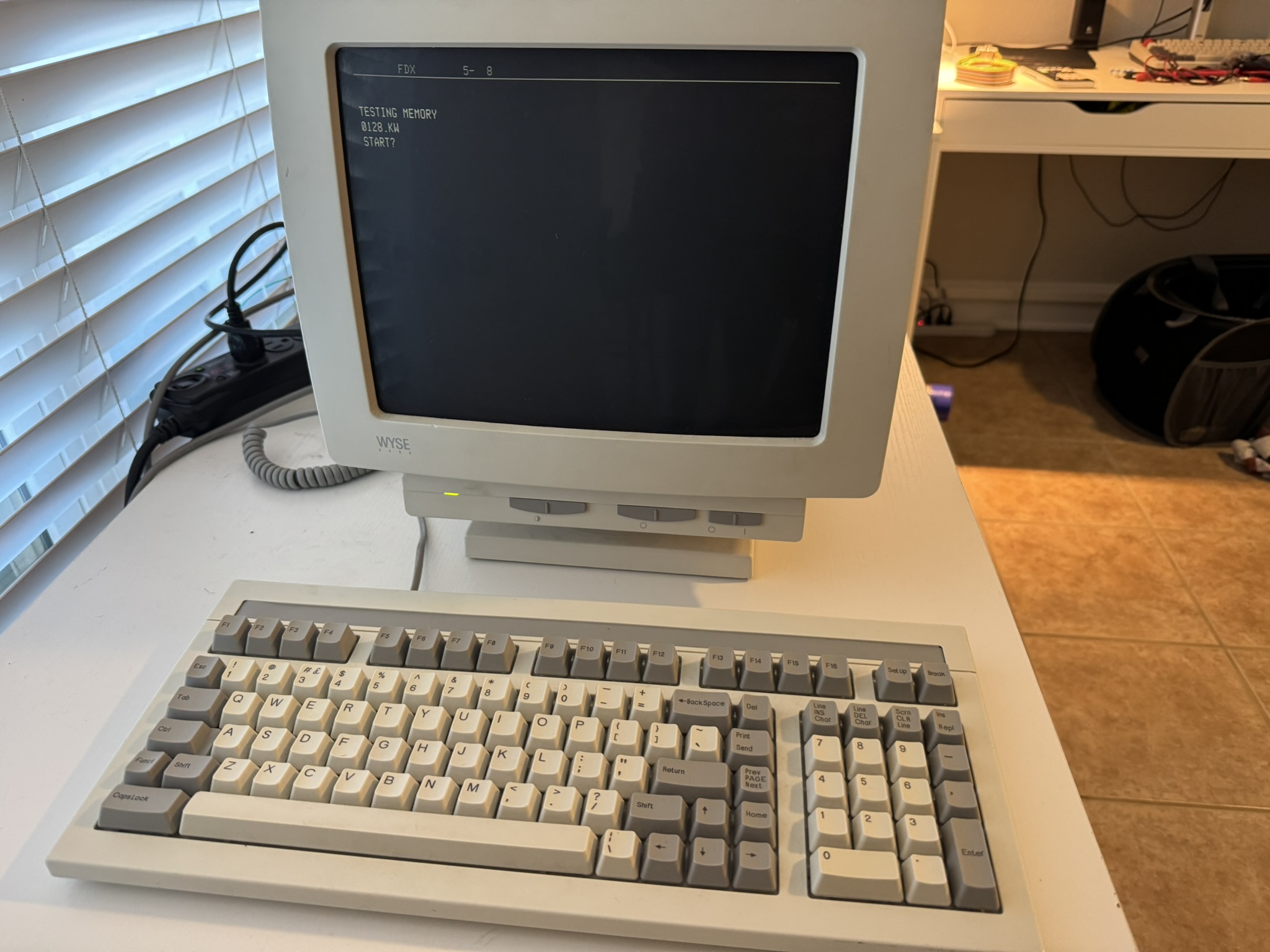 We also got the PDP-11 wired to a real terminal.
That’s where things stood for about seven months. We had a working PDP-11/23+ which could run machine code hand-typed into the monitor.
Calvin decided to name his PDP-11 “Trashpanda” because we rescued a cute black-and-white computer form the dumpster.
-
ODT is actually in the microcode of the KDF-11B CPU, not the ROM! ↩